
productivity
1889 published products are currently linked to this tag.
| Product | Company | Pricing | Tags |
|---|---|---|---|
 GetThis Generate tasks from voice, text, or screenshots. | GetThis | Freemium with monthly/yearly subscriptions and lifetime deals. Free tier includes 3 AI generations per day. Pro tier ($9/mo or $79/yr) offers unlimited voice-to-task and screenshot scans. Lifetime deals available: Founder ($89 once) and Diamond ($149 once) with all features. | |
 Ghostwriter Write and publish posts on LinkedIn & X | Ghostwriter | Freemium with monthly subscription tiers: Free ($0), Pro ($20/mo), and Agency (custom) | |
H Habitz Goal planner & progress | Habitz | Freemium with in-app purchases | |
SA Sylvian AI Forms Never fill a PDF by hand again | Sylvian AI Forms | Not specified | |
 Tidy for Group Chats Share personal assistant w/ friends in iMessage group chats Productivity • Party 16 99 Tines Build agents & automations integrated across your workspace Developer Tools • Artificial Intelligence • Security Anupam Singh This feels like automation built for real teams, not just perfect demos and it’s great to see it opened up to smaller teams too. | Tidy for Group Chats | Freemium with paid Pro tier | |
Mesh LLM Pool compute to run powerful open models Developer Tools • Artificial Intelligence • GitHub 2 94 Wispr Flow: Dictation That Works Everywhere Stop typing. Start speaking. 4x faster. Productivity • Artificial Intelligence • Audio Tanay Kothari Hey Product Hunt 🎉 I’m Tanay, co-founder & CEO of Wispr Flow, a Mac dictation app that lets you speak naturally, and writes in your style, in every application — with auto-edits, command mode, and over 100 languages. ⭐ The founding story Ever since I watched the first Ironman movie in 2008 at age 10, I've wanted to build Jarvis. It drove me to pull my first all-nighter and start teaching myself how to code. 16 years later, I think we’ve found a way to make a voice experience delightful for all-day use. And there's no one else I'd build this with than my college roommate and closest friend @sahaj_garg2 Our vision is to make voice interfaces both useful (so you trust them) and ubiquitous (so you can use them everywhere). This is how we can move from screen-first technologies to voice-first technologies and build a future where we aren't stuck looking at our phones all day long. ⭐ Using Flow is super simple: 1. Download Flow for Mac 2. Press and hold [Fn] to start speaking in any app 3. Release [Fn] to enter text ⭐ What users love Flow for - 🛠️ Developers using Cursor / Claude / ChatGPT: Speak with AI assistants faster than typing. - ✉️ Professionals breezing through their inbox: Flow accurately captures names and formats your emails and Slack messages. - 🧑🎓 Students chatting with AI and finishing assignments even faster: We have a special student discount. - 📄 Product Managers drafting PRDs and sharing thoughts: Flow turns your rambles into clear ideas. - 👶 Parents with busy lives: Time is precious. Every second you save writing is an extra second you have for family. - 🤖 Tech-lovers who want to use voice with every AI tool ⭐ Here’s all you’ll get with Flow 1.0 — and we’re just getting started. 1. ⚡ Blazing fast dictation: Powered by Flow’s ultra-fast inference engine 2. 🎨 Tone match: You speak differently than you write. Flow learns your writing style across every application 3. 🔧 Auto-edits when you change your mind: “Hey lets meet at 5pm, actually lets do 6pm” → “Hey, lets meet at 6pm” 4. 😎 Command Mode for selected text: Say commands like “Flow, make this crisper and more assertive” without copy-pasting into other tools. 5. 🧩 Native integrations: Select text anywhere and just say: “Ask perplexity, what does this mean?” 6. 😶 Whispering mode: Use Flow around others by quietly whispering to your computer. 7. 🔒 Private by design: Your recordings locally on your computer by default. Only you have access to it. You can allow Flow to use your data to improve our models (disabled by default). Learn more: wispr.ai/data-usage For technical users, most voice dictation tools focus on technical metrics like "word error rate." At Flow, we prioritize what truly matters to users: zero-edit messages. With Flow, you rarely need to return to your keyboard for edits. Our new approach has made Flow the first consumer voice dictation platform that makes people enjoy using voice more than their keyboards. ⭐ A final note Our dream is to create a world where interacting with technology feels as natural as interacting with people. I'd love your help to make this a reality. Try out Flow and share your feedback — we're eager to make it even more magical with your input. PS: A huge shoutout to our thousands of beta users who've showered us with love and feedback over the last few months. We wouldn't be here without you. | Mesh LLM | Not specified | |
Reflex Rooster Can You React in Under 300ms!? Productivity • Developer Tools • Games Gabe Perez Haha, I can't believe how fun this was. So silly but well done. @lokeshchoudharyprogrammer what was your high score? I got 225 before I went back to work 😅 16 108 Wispr Flow: Dictation That Works Everywhere Stop typing. Start speaking. 4x faster. Productivity • Artificial Intelligence • Audio Tanay Kothari Hey Product Hunt 🎉 I’m Tanay, co-founder & CEO of Wispr Flow, a Mac dictation app that lets you speak naturally, and writes in your style, in every application — with auto-edits, command mode, and over 100 languages. ⭐ The founding story Ever since I watched the first Ironman movie in 2008 at age 10, I've wanted to build Jarvis. It drove me to pull my first all-nighter and start teaching myself how to code. 16 years later, I think we’ve found a way to make a voice experience delightful for all-day use. And there's no one else I'd build this with than my college roommate and closest friend @sahaj_garg2 Our vision is to make voice interfaces both useful (so you trust them) and ubiquitous (so you can use them everywhere). This is how we can move from screen-first technologies to voice-first technologies and build a future where we aren't stuck looking at our phones all day long. ⭐ Using Flow is super simple: 1. Download Flow for Mac 2. Press and hold [Fn] to start speaking in any app 3. Release [Fn] to enter text ⭐ What users love Flow for - 🛠️ Developers using Cursor / Claude / ChatGPT: Speak with AI assistants faster than typing. - ✉️ Professionals breezing through their inbox: Flow accurately captures names and formats your emails and Slack messages. - 🧑🎓 Students chatting with AI and finishing assignments even faster: We have a special student discount. - 📄 Product Managers drafting PRDs and sharing thoughts: Flow turns your rambles into clear ideas. - 👶 Parents with busy lives: Time is precious. Every second you save writing is an extra second you have for family. - 🤖 Tech-lovers who want to use voice with every AI tool ⭐ Here’s all you’ll get with Flow 1.0 — and we’re just getting started. 1. ⚡ Blazing fast dictation: Powered by Flow’s ultra-fast inference engine 2. 🎨 Tone match: You speak differently than you write. Flow learns your writing style across every application 3. 🔧 Auto-edits when you change your mind: “Hey lets meet at 5pm, actually lets do 6pm” → “Hey, lets meet at 6pm” 4. 😎 Command Mode for selected text: Say commands like “Flow, make this crisper and more assertive” without copy-pasting into other tools. 5. 🧩 Native integrations: Select text anywhere and just say: “Ask perplexity, what does this mean?” 6. 😶 Whispering mode: Use Flow around others by quietly whispering to your computer. 7. 🔒 Private by design: Your recordings locally on your computer by default. Only you have access to it. You can allow Flow to use your data to improve our models (disabled by default). Learn more: wispr.ai/data-usage For technical users, most voice dictation tools focus on technical metrics like "word error rate." At Flow, we prioritize what truly matters to users: zero-edit messages. With Flow, you rarely need to return to your keyboard for edits. Our new approach has made Flow the first consumer voice dictation platform that makes people enjoy using voice more than their keyboards. ⭐ A final note Our dream is to create a world where interacting with technology feels as natural as interacting with people. I'd love your help to make this a reality. Try out Flow and share your feedback — we're eager to make it even more magical with your input. PS: A huge shoutout to our thousands of beta users who've showered us with love and feedback over the last few months. We wouldn't be here without you. | Reflex Rooster | Free with no paid tiers identified | |
 MorphMind: A Steerable AI Platform Build a team of AI specialists that deliver quality work | MorphMind: A Steerable AI Platform | Not specified | |
Open Agents Agents that ship real code Open Source • Developer Tools • Artificial Intelligence 4 163 getviktor.com An AI coworker that actually does the work Productivity • Artificial Intelligence • Business Matt Swulinski I run growth at Wispr Flow, so I spend most of my time deep in AI tools and automation. I'd been following Fryderyk and the Zeta Labs team since Jace, their AI email assistant, and was impressed by how fast they shipped product. When Fryderyk showed me Viktor, it clicked immediately. I'd been spending hours building automations in Claude Code - stitching together context, writing scripts, trying to make things persistent and scheduled. Viktor did all of that natively. It just lives in Slack, already has the context from your tools and conversations, and runs on its own. But the thing that genuinely blew me away was the proactive behavior. Viktor doesn't just wait for you to ask. It observes how your team works, chimes in when it spots something relevant, and suggests automations you didn't think to set up. I've never seen an AI tool take initiative like that. I ended up advising the team on growth strategy because I believe this is how every team will work within a few years. Not another tab. Not another tool. A coworker that lives where your team already communicates. If you're skeptical, give it your worst task. That's what convinced me. | Open Agents | Not specified | |
TexTab Turn any AI task into a Keyboard Shortcut | TexTab | Freemium with license purchase model | |
CalendarJet AI scheduling with branded booking page your own domain | CalendarJet | One-time lifetime payment of $27 for full platform access; no recurring billing, no monthly or yearly tiers | |
 HyperCaps for macOS Turn CapsLock into a Super Key & Boost Productivity | HyperCaps for macOS | One-time purchase, lifetime license. No subscriptions. | |
 Streva Instant Translation, Anywhere you type | Streva | Freemium with paid upgrade. Free plan includes 2,000 words per week with core dictation and 100+ language support. Pro plan adds unlimited words and priority features. | |
 DataSieve 2.0 Extract structured data from text, files and archives. Productivity • Data • Data Science 9 125 AssemblyAI Voice Agent API One API to build production-ready voice agents API • Artificial Intelligence • Audio | DataSieve 2.0 | Freemium with in-app purchases for lifetime access and weekly access | |
 Clarm AI inbound layer to capture, qualify, and route leads | Clarm | Freemium with pay-per-conversation overage. Free tier: 10 conversations/month. Growth plan: $200/month for 1,000 conversations plus $0.85 per additional conversation. Enterprise: custom pricing with unlimited conversations. | |
 Doz Medication reminders and tracker based on prescriptions | Doz | Freemium with optional Pro subscription tiers | |
 Firstwork Agentic AI for frontline hiring and onboarding Hiring • Artificial Intelligence 20 129 Wispr Flow: Dictation That Works Everywhere Stop typing. Start speaking. 4x faster. Productivity • Artificial Intelligence • Audio Tanay Kothari Hey Product Hunt 🎉 I’m Tanay, co-founder & CEO of Wispr Flow, a Mac dictation app that lets you speak naturally, and writes in your style, in every application — with auto-edits, command mode, and over 100 languages. ⭐ The founding story Ever since I watched the first Ironman movie in 2008 at age 10, I've wanted to build Jarvis. It drove me to pull my first all-nighter and start teaching myself how to code. 16 years later, I think we’ve found a way to make a voice experience delightful for all-day use. And there's no one else I'd build this with than my college roommate and closest friend @sahaj_garg2 Our vision is to make voice interfaces both useful (so you trust them) and ubiquitous (so you can use them everywhere). This is how we can move from screen-first technologies to voice-first technologies and build a future where we aren't stuck looking at our phones all day long. ⭐ Using Flow is super simple: 1. Download Flow for Mac 2. Press and hold [Fn] to start speaking in any app 3. Release [Fn] to enter text ⭐ What users love Flow for - 🛠️ Developers using Cursor / Claude / ChatGPT: Speak with AI assistants faster than typing. - ✉️ Professionals breezing through their inbox: Flow accurately captures names and formats your emails and Slack messages. - 🧑🎓 Students chatting with AI and finishing assignments even faster: We have a special student discount. - 📄 Product Managers drafting PRDs and sharing thoughts: Flow turns your rambles into clear ideas. - 👶 Parents with busy lives: Time is precious. Every second you save writing is an extra second you have for family. - 🤖 Tech-lovers who want to use voice with every AI tool ⭐ Here’s all you’ll get with Flow 1.0 — and we’re just getting started. 1. ⚡ Blazing fast dictation: Powered by Flow’s ultra-fast inference engine 2. 🎨 Tone match: You speak differently than you write. Flow learns your writing style across every application 3. 🔧 Auto-edits when you change your mind: “Hey lets meet at 5pm, actually lets do 6pm” → “Hey, lets meet at 6pm” 4. 😎 Command Mode for selected text: Say commands like “Flow, make this crisper and more assertive” without copy-pasting into other tools. 5. 🧩 Native integrations: Select text anywhere and just say: “Ask perplexity, what does this mean?” 6. 😶 Whispering mode: Use Flow around others by quietly whispering to your computer. 7. 🔒 Private by design: Your recordings locally on your computer by default. Only you have access to it. You can allow Flow to use your data to improve our models (disabled by default). Learn more: wispr.ai/data-usage For technical users, most voice dictation tools focus on technical metrics like "word error rate." At Flow, we prioritize what truly matters to users: zero-edit messages. With Flow, you rarely need to return to your keyboard for edits. Our new approach has made Flow the first consumer voice dictation platform that makes people enjoy using voice more than their keyboards. ⭐ A final note Our dream is to create a world where interacting with technology feels as natural as interacting with people. I'd love your help to make this a reality. Try out Flow and share your feedback — we're eager to make it even more magical with your input. PS: A huge shoutout to our thousands of beta users who've showered us with love and feedback over the last few months. We wouldn't be here without you. | Firstwork | Not specified | |
Athena Claude Code for Product Teams | Athena | Not specified | |
 Context Overflow Knowledge Sharing for AI Agents | Context Overflow | Not specified | |
 Lindy Assistant Proactive assistant that does tasks without being prompted | Lindy Assistant | Tiered subscription with free trial: Plus ($49.99/mo), Pro ($99.99/mo), Max ($199.99/mo), and Enterprise (custom) | |
Q Qwen3.6-35B-A3B The open sparse MoE model for agentic coding Open Source • Artificial Intelligence • Development 1 126 Wispr Flow: Dictation That Works Everywhere Stop typing. Start speaking. 4x faster. Productivity • Artificial Intelligence • Audio Tanay Kothari Hey Product Hunt 🎉 I’m Tanay, co-founder & CEO of Wispr Flow, a Mac dictation app that lets you speak naturally, and writes in your style, in every application — with auto-edits, command mode, and over 100 languages. ⭐ The founding story Ever since I watched the first Ironman movie in 2008 at age 10, I've wanted to build Jarvis. It drove me to pull my first all-nighter and start teaching myself how to code. 16 years later, I think we’ve found a way to make a voice experience delightful for all-day use. And there's no one else I'd build this with than my college roommate and closest friend @sahaj_garg2 Our vision is to make voice interfaces both useful (so you trust them) and ubiquitous (so you can use them everywhere). This is how we can move from screen-first technologies to voice-first technologies and build a future where we aren't stuck looking at our phones all day long. ⭐ Using Flow is super simple: 1. Download Flow for Mac 2. Press and hold [Fn] to start speaking in any app 3. Release [Fn] to enter text ⭐ What users love Flow for - 🛠️ Developers using Cursor / Claude / ChatGPT: Speak with AI assistants faster than typing. - ✉️ Professionals breezing through their inbox: Flow accurately captures names and formats your emails and Slack messages. - 🧑🎓 Students chatting with AI and finishing assignments even faster: We have a special student discount. - 📄 Product Managers drafting PRDs and sharing thoughts: Flow turns your rambles into clear ideas. - 👶 Parents with busy lives: Time is precious. Every second you save writing is an extra second you have for family. - 🤖 Tech-lovers who want to use voice with every AI tool ⭐ Here’s all you’ll get with Flow 1.0 — and we’re just getting started. 1. ⚡ Blazing fast dictation: Powered by Flow’s ultra-fast inference engine 2. 🎨 Tone match: You speak differently than you write. Flow learns your writing style across every application 3. 🔧 Auto-edits when you change your mind: “Hey lets meet at 5pm, actually lets do 6pm” → “Hey, lets meet at 6pm” 4. 😎 Command Mode for selected text: Say commands like “Flow, make this crisper and more assertive” without copy-pasting into other tools. 5. 🧩 Native integrations: Select text anywhere and just say: “Ask perplexity, what does this mean?” 6. 😶 Whispering mode: Use Flow around others by quietly whispering to your computer. 7. 🔒 Private by design: Your recordings locally on your computer by default. Only you have access to it. You can allow Flow to use your data to improve our models (disabled by default). Learn more: wispr.ai/data-usage For technical users, most voice dictation tools focus on technical metrics like "word error rate." At Flow, we prioritize what truly matters to users: zero-edit messages. With Flow, you rarely need to return to your keyboard for edits. Our new approach has made Flow the first consumer voice dictation platform that makes people enjoy using voice more than their keyboards. ⭐ A final note Our dream is to create a world where interacting with technology feels as natural as interacting with people. I'd love your help to make this a reality. Try out Flow and share your feedback — we're eager to make it even more magical with your input. PS: A huge shoutout to our thousands of beta users who've showered us with love and feedback over the last few months. We wouldn't be here without you. | Qwen3.6-35B-A3B | Open-source model available for free download and use | |
 optimo effortless media optimizer for the web | optimo | Free and open-source | |
 Friendware Tab-to-complete everywhere on MacOS | Friendware | Not specified | |
 DogBase v2 Official Launch The AI-powered platform built for professional K9 teams Productivity • Artificial Intelligence 2 96 Lightfield AI-native CRM that builds itself and does work for you Sales • Artificial Intelligence • CRM | DogBase v2 Official Launch | Per-dog subscription with monthly or yearly billing options. Monthly: $7.99 USD per dog per month. Yearly: $85.99 USD per dog per year (10% savings vs. monthly). Enterprise solutions available with custom deployment and volume discounts. | |
NC NotebookLM Custom Infographic Styles Turn any source into a styled infographic | NotebookLM Custom Infographic Styles | Not specified | |
 VoiceOS Say it and it's done. Work 10x faster with your voice. | VoiceOS | Freemium with monthly and annual subscription tiers. Free tier with 100 usage/week. Pro tier at $12/month billed annually. Enterprise tier with custom pricing. | |
 Vois Studio-quality text-to-speech and voice cloning, fully local | Vois | Subscription (monthly or yearly) with optional pay-as-you-go export credits. Monthly: $29/mo. Yearly: $198/year ($16.50/mo, 43% off). Export credits: $5 for 1 credit, bulk options available (3, 10 credits). No per-character fees. Free generation and preview; credits only needed for export. | |
 Good Assistant Partner for goals that matter | Good Assistant | Freemium subscription with in-app purchases. Free trial for first week, then paid monthly or yearly subscription required for full access. | |
 ChartGen AI Turn data into professional charts with insights in seconds | ChartGen AI | Not specified | |
 Cloud Computer by Manus A dedicated cloud machine for bots and software | Cloud Computer by Manus | Freemium with paid plans (Pro and Team plans available) | |
CF Claude for Word Bring Claude natively into your Microsoft Word workflow | Claude for Word | Not specified | |
 Y Bombinator We Bombed 7 times, you shouldn't | Y Bombinator | Free with optional paid mentoring sessions | |
 remio 2.0 Captures your work to build a searchable knowledge base | remio 2.0 | Freemium with tiered paid plans. Free tier includes 500 AI credits/month, unlimited webpage capture, and local file parsing. Pro ($11.60/month or $139/year), Plus ($34.90/month or $419/year), and Max ($116/month or $1,399/year) tiers offer increasing AI credits and premium features. BYOK plan ($14.90/month) available for users bringing their own LLM API keys. Current promotion: 30% off annual plans with code SUMMER2026. | |
 Cimanote The fast, clean note app Evernote used to be | Cimanote | Freemium with optional paid tier. Free plan includes unlimited notes, notebooks, tags, search, and web clipper. Pro adds AI Knowledge Engine, real-time collaboration, offline sync, and file attachments. | |
 Hannah & Co AI coworkers for marketing. | Hannah & Co | Subscription with monthly credits; free tier available with 200 credits/month; paid tiers from €25–€200/month with 1,500–15,000 credits; enterprise custom pricing | |
A Agentation The visual feedback tool for AI agents | Agentation | Not specified | |
MC Model Council in Perplexity Consult a council of multiple frontier models at once Productivity • Artificial Intelligence • Search 4 153 ElevenAgents by ElevenLabs Scale conversations without scaling your team Artificial Intelligence • Audio | Model Council in Perplexity | Not specified | |
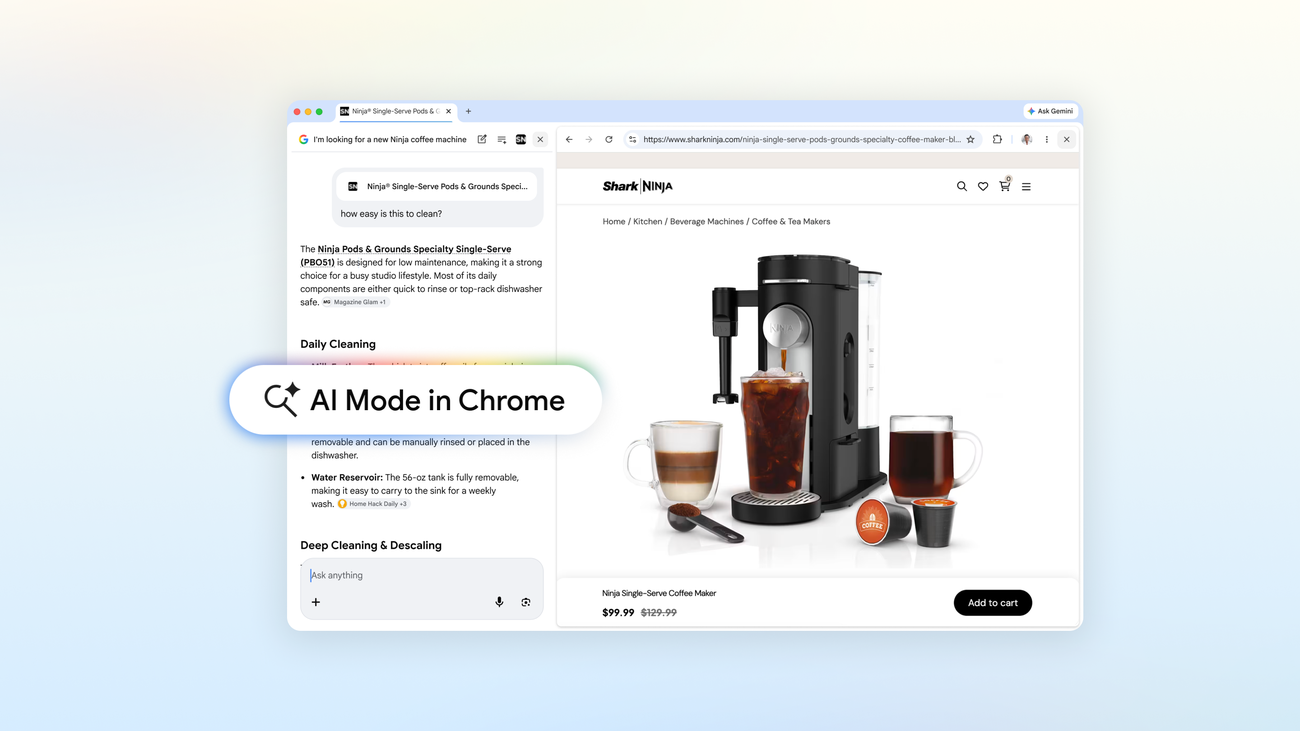 AI Mode in Chrome Browse and search side-by-side, without switching tabs | AI Mode in Chrome | Free, integrated into Chrome browser | |
 ClawApp The easiest way to automate tasks with OpenClaw | ClawApp | Not specified | |
 NotchPad The secure notepad and clipboard manager for your Mac. | NotchPad | Free notes; Pro adds clipboard history and snippets for a one-time fee. | |
 Arcmark Your bookmarks, attached to any browser as a sidebar | Arcmark | Free & open source | |
 Promptsy Create, save, and share prompts | Promptsy | Freemium with paid tiers: Free ($0/mo), Solo ($6/mo), Team ($12/seat/mo). Annual billing available with 2-month discount. | |
 LaReview Open-source free next-generation code review | LaReview | Free and Open Source | |
Too Many Buttons Only one button works. Every other click is chaos. | Too Many Buttons | Free browser game | |
 8udget Budget, invest & track finances - works offline Android • Productivity • Finance 9 100 Kilo Code v7 for VS Code Run Parallel AI Agents in VS Code. Free & Open Source Open Source • Software Engineering • Developer Tools | 8udget | Freemium with optional AI-powered premium subscription. Free plan includes basic expense tracking (100 transactions limit), budget management, and financial reports. Premium subscription adds unlimited transactions, cloud sync, AI receipt scanning, bank statement import, and investment tracking. | |
 World API by World Labs Programmable 3D worlds powered by Marble API • Artificial Intelligence • 3D Modeling 3 101 getviktor.com An AI coworker that actually does the work Productivity • Artificial Intelligence • Business Matt Swulinski I run growth at Wispr Flow, so I spend most of my time deep in AI tools and automation. I'd been following Fryderyk and the Zeta Labs team since Jace, their AI email assistant, and was impressed by how fast they shipped product. When Fryderyk showed me Viktor, it clicked immediately. I'd been spending hours building automations in Claude Code - stitching together context, writing scripts, trying to make things persistent and scheduled. Viktor did all of that natively. It just lives in Slack, already has the context from your tools and conversations, and runs on its own. But the thing that genuinely blew me away was the proactive behavior. Viktor doesn't just wait for you to ask. It observes how your team works, chimes in when it spots something relevant, and suggests automations you didn't think to set up. I've never seen an AI tool take initiative like that. I ended up advising the team on growth strategy because I believe this is how every team will work within a few years. Not another tab. Not another tool. A coworker that lives where your team already communicates. If you're skeptical, give it your worst task. That's what convinced me. | World API by World Labs | Not specified | |
 Zoer.ai Build full-stack webapps from the database up | Zoer.ai | Credit-based subscription with tiered plans; free tier available; premium tier unlocks higher limits | |
 Hearica Turn all computer audio into captions for the deaf | Hearica | Not specified | |
 Knock Knock on your MacBook to control your Mac | Knock | Not specified | |
 Stracti Build AI game bots with no code required | Stracti | Tiered lifetime plans with optional monthly add-ons (proxies, virtual PCs). Limited lifetime sale pricing displayed; regular pricing not specified. |