
productivity
1889 published products are currently linked to this tag.
| Product | Company | Pricing | Tags |
|---|---|---|---|
 happycapy The agent-native computer, for the rest of us | happycapy | Freemium with tiered paid plans. Free tier includes 250 credits/month and basic sandbox. Pro ($20/mo or $17/mo annual), Plus ($50/mo or $42/mo annual), and Max ($200/mo or $167/mo annual) tiers offer increasing credits, sandbox resources, automations, and email quotas. | |
HappyMail We made email simple again | HappyMail | Not specified | |
 Dex Ask your data. Get answers and next steps. | Dex | Not specified | |
 Unfold Extend macOS Quick Look to folders, archives & code files Mac • Productivity • Developer Tools 3 122 ElevenAgents by ElevenLabs Scale conversations without scaling your team Artificial Intelligence • Audio | Unfold | One-time lifetime purchase with 7-day free trial | |
 Imbue We build AI that works for humans Developer Tools • Artificial Intelligence • Lifestyle 0 93 Wispr Flow: Dictation That Works Everywhere Stop typing. Start speaking. 4x faster. Productivity • Artificial Intelligence • Audio Tanay Kothari Hey Product Hunt 🎉 I’m Tanay, co-founder & CEO of Wispr Flow, a Mac dictation app that lets you speak naturally, and writes in your style, in every application — with auto-edits, command mode, and over 100 languages. ⭐ The founding story Ever since I watched the first Ironman movie in 2008 at age 10, I've wanted to build Jarvis. It drove me to pull my first all-nighter and start teaching myself how to code. 16 years later, I think we’ve found a way to make a voice experience delightful for all-day use. And there's no one else I'd build this with than my college roommate and closest friend @sahaj_garg2 Our vision is to make voice interfaces both useful (so you trust them) and ubiquitous (so you can use them everywhere). This is how we can move from screen-first technologies to voice-first technologies and build a future where we aren't stuck looking at our phones all day long. ⭐ Using Flow is super simple: 1. Download Flow for Mac 2. Press and hold [Fn] to start speaking in any app 3. Release [Fn] to enter text ⭐ What users love Flow for - 🛠️ Developers using Cursor / Claude / ChatGPT: Speak with AI assistants faster than typing. - ✉️ Professionals breezing through their inbox: Flow accurately captures names and formats your emails and Slack messages. - 🧑🎓 Students chatting with AI and finishing assignments even faster: We have a special student discount. - 📄 Product Managers drafting PRDs and sharing thoughts: Flow turns your rambles into clear ideas. - 👶 Parents with busy lives: Time is precious. Every second you save writing is an extra second you have for family. - 🤖 Tech-lovers who want to use voice with every AI tool ⭐ Here’s all you’ll get with Flow 1.0 — and we’re just getting started. 1. ⚡ Blazing fast dictation: Powered by Flow’s ultra-fast inference engine 2. 🎨 Tone match: You speak differently than you write. Flow learns your writing style across every application 3. 🔧 Auto-edits when you change your mind: “Hey lets meet at 5pm, actually lets do 6pm” → “Hey, lets meet at 6pm” 4. 😎 Command Mode for selected text: Say commands like “Flow, make this crisper and more assertive” without copy-pasting into other tools. 5. 🧩 Native integrations: Select text anywhere and just say: “Ask perplexity, what does this mean?” 6. 😶 Whispering mode: Use Flow around others by quietly whispering to your computer. 7. 🔒 Private by design: Your recordings locally on your computer by default. Only you have access to it. You can allow Flow to use your data to improve our models (disabled by default). Learn more: wispr.ai/data-usage For technical users, most voice dictation tools focus on technical metrics like "word error rate." At Flow, we prioritize what truly matters to users: zero-edit messages. With Flow, you rarely need to return to your keyboard for edits. Our new approach has made Flow the first consumer voice dictation platform that makes people enjoy using voice more than their keyboards. ⭐ A final note Our dream is to create a world where interacting with technology feels as natural as interacting with people. I'd love your help to make this a reality. Try out Flow and share your feedback — we're eager to make it even more magical with your input. PS: A huge shoutout to our thousands of beta users who've showered us with love and feedback over the last few months. We wouldn't be here without you. | Imbue | Not specified | |
Refero MCP Give your AI agent design taste + prevent generic AI design Design Tools • Productivity • Developer Tools 8 130 ElevenAgents by ElevenLabs Scale conversations without scaling your team Artificial Intelligence • Audio | Refero MCP | Not specified | |
 Verdent Your AI-native partner for the new way to build software | Verdent | Subscription with credits (monthly), Eco Mode (included, no credits), BYOK (bring your own keys), and Pay-as-you-go top-ups | |
 ChartGen AI Turn data into professional charts with insights in seconds | ChartGen AI | Not specified | |
 Agentplace AI Agents Create specialized AI agents for real tasks and workflows | Agentplace AI Agents | Freemium with usage-based scaling. Free tier includes unlimited builder access and 1k agent calls monthly. Pro tier at $29/month offers 2k-50k agent calls with tiered options. Business tier available with custom pricing for enterprise needs. | |
GI GitLaw Integrations Trigger AI legal doc creation/review from 7,000+ apps | GitLaw Integrations | Not specified | |
MC Model Council in Perplexity Consult a council of multiple frontier models at once Productivity • Artificial Intelligence • Search 4 153 ElevenAgents by ElevenLabs Scale conversations without scaling your team Artificial Intelligence • Audio | Model Council in Perplexity | Not specified | |
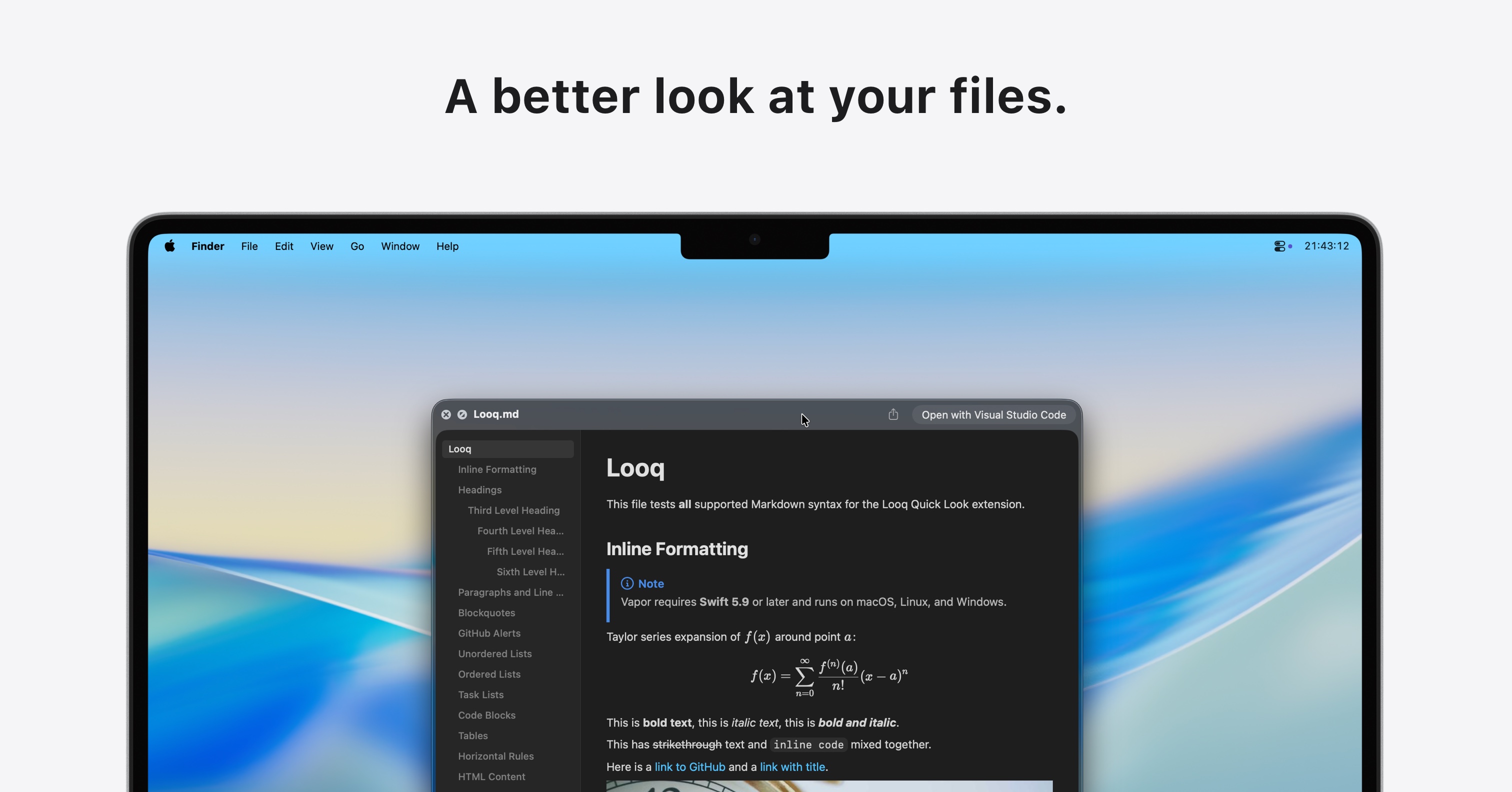 Looq: Preview Files A better Quick Look: code, Markdown, Mermaid, SQLite & more | Looq: Preview Files | One-time purchase per Mac. Single license for 1 Mac at $10. Personal tier (50% discount) and Team tier (70% discount) available. Additional Macs add $4 each. | |
 Fractal The fastest way to ship exceptional ChatGPT apps | Fractal | Not specified | |
 Playbook Intelligence Talk directly to your files to bulk edit, organize, & share Design Tools • Productivity 6 110 Wispr Flow: Dictation That Works Everywhere Stop typing. Start speaking. 4x faster. Productivity • Artificial Intelligence • Audio Tanay Kothari Hey Product Hunt 🎉 I’m Tanay, co-founder & CEO of Wispr Flow, a Mac dictation app that lets you speak naturally, and writes in your style, in every application — with auto-edits, command mode, and over 100 languages. ⭐ The founding story Ever since I watched the first Ironman movie in 2008 at age 10, I've wanted to build Jarvis. It drove me to pull my first all-nighter and start teaching myself how to code. 16 years later, I think we’ve found a way to make a voice experience delightful for all-day use. And there's no one else I'd build this with than my college roommate and closest friend @sahaj_garg2 Our vision is to make voice interfaces both useful (so you trust them) and ubiquitous (so you can use them everywhere). This is how we can move from screen-first technologies to voice-first technologies and build a future where we aren't stuck looking at our phones all day long. ⭐ Using Flow is super simple: 1. Download Flow for Mac 2. Press and hold [Fn] to start speaking in any app 3. Release [Fn] to enter text ⭐ What users love Flow for - 🛠️ Developers using Cursor / Claude / ChatGPT: Speak with AI assistants faster than typing. - ✉️ Professionals breezing through their inbox: Flow accurately captures names and formats your emails and Slack messages. - 🧑🎓 Students chatting with AI and finishing assignments even faster: We have a special student discount. - 📄 Product Managers drafting PRDs and sharing thoughts: Flow turns your rambles into clear ideas. - 👶 Parents with busy lives: Time is precious. Every second you save writing is an extra second you have for family. - 🤖 Tech-lovers who want to use voice with every AI tool ⭐ Here’s all you’ll get with Flow 1.0 — and we’re just getting started. 1. ⚡ Blazing fast dictation: Powered by Flow’s ultra-fast inference engine 2. 🎨 Tone match: You speak differently than you write. Flow learns your writing style across every application 3. 🔧 Auto-edits when you change your mind: “Hey lets meet at 5pm, actually lets do 6pm” → “Hey, lets meet at 6pm” 4. 😎 Command Mode for selected text: Say commands like “Flow, make this crisper and more assertive” without copy-pasting into other tools. 5. 🧩 Native integrations: Select text anywhere and just say: “Ask perplexity, what does this mean?” 6. 😶 Whispering mode: Use Flow around others by quietly whispering to your computer. 7. 🔒 Private by design: Your recordings locally on your computer by default. Only you have access to it. You can allow Flow to use your data to improve our models (disabled by default). Learn more: wispr.ai/data-usage For technical users, most voice dictation tools focus on technical metrics like "word error rate." At Flow, we prioritize what truly matters to users: zero-edit messages. With Flow, you rarely need to return to your keyboard for edits. Our new approach has made Flow the first consumer voice dictation platform that makes people enjoy using voice more than their keyboards. ⭐ A final note Our dream is to create a world where interacting with technology feels as natural as interacting with people. I'd love your help to make this a reality. Try out Flow and share your feedback — we're eager to make it even more magical with your input. PS: A huge shoutout to our thousands of beta users who've showered us with love and feedback over the last few months. We wouldn't be here without you. | Playbook Intelligence | Freemium with tiered paid plans: Free ($0), Pro ($12/month), Team ($25/month per member), Business ($500/month), Enterprise (custom) | |
PC Perplexity Computer Skills Extend Computer’s capabilities with repeatable instructions | Perplexity Computer Skills | Not specified | |
 Krisp Accent Converter for YouTube YouTube, but you clearly understand everyone | Krisp Accent Converter for YouTube | Free with no subscription or credit card required | |
 PeekFocus Make your screen instantly presentable with one keystroke. Mac • Productivity • Menu Bar Apps 4 85 Kilo Code v7 for VS Code Run Parallel AI Agents in VS Code. Free & Open Source Open Source • Software Engineering • Developer Tools | PeekFocus | One-time purchase, $4.99. Includes 7-day free trial. Lifetime access to all future updates. No subscription. | |
 Deploy Hermes Private Telegram AI agents, live in under a minute | Deploy Hermes | Three tiered subscription plans based on compute resources and agent capabilities. Starter ($21/mo) for basic bot hosting, Standard ($42/mo) for complex workflows, Power ($84/mo) for multiple parallel agents. Yearly billing available with ~13% discount. | |
H HyperCap Remap Caps Lock to a hyperkey, just hold it + any key | HyperCap | Not specified | |
 Cntrl Bridge Turn your Windows/macOS computer into a scriptable server | Cntrl Bridge | Free and open-source | |
 CalPal The notebook calculator that thinks for you (now with AI). | CalPal | Not specified | |
Solvea Create your AI receptionist that answers, books, and sells | Solvea | Freemium with paid tiers: Free plan (1K credits/month, 3 agents, 50MB knowledge base), Basic plan ($30/month, 3K credits/month, 10 agents, 500MB knowledge base), Enterprise (custom pricing, unlimited credits) | |
Agent 37 Your own OpenClaw instance for $3.99/mo | Agent 37 | Tiered subscription plans starting at $3.99/month for managed OpenClaw and Hermes hosting with web terminal, file browser, and live desktop access. Includes Minions task board. | |
 Forvibe Launch apps without the operational busywork | Forvibe | Freemium with tiered monthly subscriptions. Free tier includes 1 project and 200 AI credits. Paid tiers: Indie Dev ($9.99/month, most popular), Startup ($29.99/month), and Enterprise (custom). | |
FU Fix Ugly PowerPoint by CubeOne Who designed this? | Fix Ugly PowerPoint by CubeOne | Pricing could not be determined from available evidence | |
 The new v0 Full stack vibe coding platform. Created by Vercel. | The new v0 | Freemium with credit-based usage. Free plan includes $5/month credits and 7 messages/day. Team plan $30/user/month with $30 included credits. Business plan $100/user/month. Enterprise custom pricing. Additional model-specific token pricing available (v0 Mini, Pro, Max, Max Fast). | |
 Polsia AI that runs your company while you sleep | Polsia | Not specified | |
 Reword Rewrite messages without leaving your workflow | Reword | Not specified | |
CF Claude for Word Bring Claude natively into your Microsoft Word workflow | Claude for Word | Not specified | |
 The New Waydev Measure the full AI SDLC. From token to production. | The New Waydev | Tiered pricing by team size (Small team 10-50 engineers, Medium team 50-500 engineers, Enterprise 500-5000+ engineers). Custom pricing available. | |
Pause.do Interrupt scrolling, tab overload, and AI autopilot | Pause.do | One-time lifetime license with free trial | |
 Lindy Assistant Proactive assistant that does tasks without being prompted | Lindy Assistant | Tiered subscription with free trial: Plus ($49.99/mo), Pro ($99.99/mo), Max ($199.99/mo), and Enterprise (custom) | |
 StackPatch Patch authentication into your Next.js app with one command | StackPatch | Free open-source CLI tool | |
 Tidey A tiny Mac app that helps you clean your desktop mess | Tidey | One-time purchase, no subscription or recurring fees | |
 Rover by rtrvr.ai Turn your website into an AI agent with one script tag. | Rover by rtrvr.ai | Freemium with optional paid tiers; free tier uses user's own ChatGPT Plus, Claude Pro, or API keys; paid tiers ($99/mo and above) include private mode and zero data residency | |
 PopTask Light menu bar task manager for quickly capturing tasks | PopTask | Freemium with optional Pro subscription and lifetime founder deal. Free tier: up to 4 active tasks. Pro: $1.99/month via Mac App Store with unlimited tasks, voice input, calendar sync, Siri, and AI breakdown. Lifetime Founders Deal: $14.99 one-time (limited to first 100 users). | |
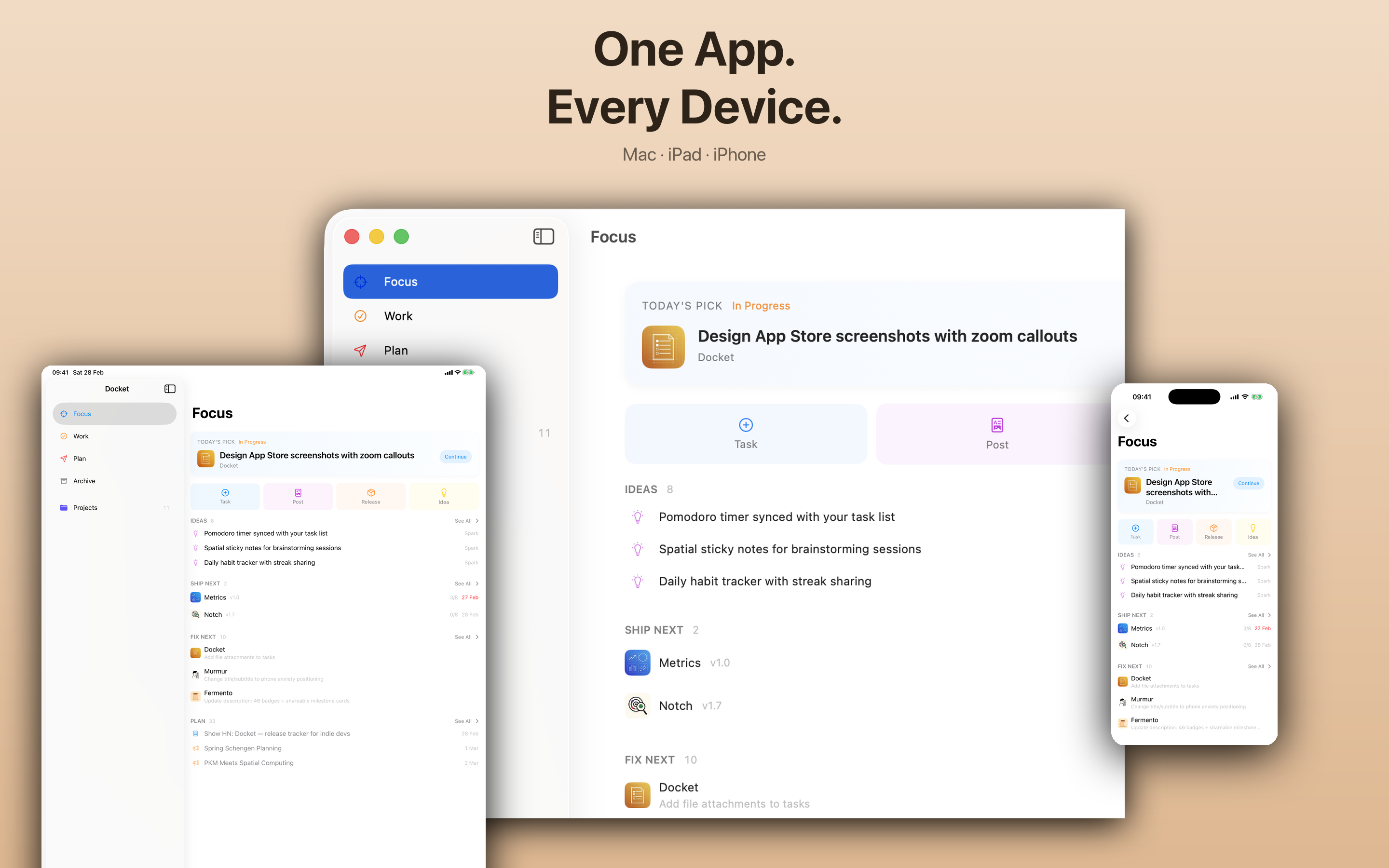 Docket Like Jira but for indie devs and AI agents | Docket | Freemium with in-app purchases and subscription tiers | |
Flowripple Easily Trigger workflows from your SaaS Productivity • SaaS • No-Code 9 113 Lightfield AI-native CRM that builds itself and does work for you Sales • Artificial Intelligence • CRM | Flowripple | Tiered usage-based pricing with three plans: Free (up to 1,000 executions/month), Starter (up to 10,000 executions/month), and Pro (up to 100,000 executions/month) | |
 Optibase: Beyond A/B Testing Run A/B, split, and multivariate tests directly in Webflow A/B Testing • Marketing • Data & Analytics 15 163 Wispr Flow: Dictation That Works Everywhere Stop typing. Start speaking. 4x faster. Productivity • Artificial Intelligence • Audio Tanay Kothari Hey Product Hunt 🎉 I’m Tanay, co-founder & CEO of Wispr Flow, a Mac dictation app that lets you speak naturally, and writes in your style, in every application — with auto-edits, command mode, and over 100 languages. ⭐ The founding story Ever since I watched the first Ironman movie in 2008 at age 10, I've wanted to build Jarvis. It drove me to pull my first all-nighter and start teaching myself how to code. 16 years later, I think we’ve found a way to make a voice experience delightful for all-day use. And there's no one else I'd build this with than my college roommate and closest friend @sahaj_garg2 Our vision is to make voice interfaces both useful (so you trust them) and ubiquitous (so you can use them everywhere). This is how we can move from screen-first technologies to voice-first technologies and build a future where we aren't stuck looking at our phones all day long. ⭐ Using Flow is super simple: 1. Download Flow for Mac 2. Press and hold [Fn] to start speaking in any app 3. Release [Fn] to enter text ⭐ What users love Flow for - 🛠️ Developers using Cursor / Claude / ChatGPT: Speak with AI assistants faster than typing. - ✉️ Professionals breezing through their inbox: Flow accurately captures names and formats your emails and Slack messages. - 🧑🎓 Students chatting with AI and finishing assignments even faster: We have a special student discount. - 📄 Product Managers drafting PRDs and sharing thoughts: Flow turns your rambles into clear ideas. - 👶 Parents with busy lives: Time is precious. Every second you save writing is an extra second you have for family. - 🤖 Tech-lovers who want to use voice with every AI tool ⭐ Here’s all you’ll get with Flow 1.0 — and we’re just getting started. 1. ⚡ Blazing fast dictation: Powered by Flow’s ultra-fast inference engine 2. 🎨 Tone match: You speak differently than you write. Flow learns your writing style across every application 3. 🔧 Auto-edits when you change your mind: “Hey lets meet at 5pm, actually lets do 6pm” → “Hey, lets meet at 6pm” 4. 😎 Command Mode for selected text: Say commands like “Flow, make this crisper and more assertive” without copy-pasting into other tools. 5. 🧩 Native integrations: Select text anywhere and just say: “Ask perplexity, what does this mean?” 6. 😶 Whispering mode: Use Flow around others by quietly whispering to your computer. 7. 🔒 Private by design: Your recordings locally on your computer by default. Only you have access to it. You can allow Flow to use your data to improve our models (disabled by default). Learn more: wispr.ai/data-usage For technical users, most voice dictation tools focus on technical metrics like "word error rate." At Flow, we prioritize what truly matters to users: zero-edit messages. With Flow, you rarely need to return to your keyboard for edits. Our new approach has made Flow the first consumer voice dictation platform that makes people enjoy using voice more than their keyboards. ⭐ A final note Our dream is to create a world where interacting with technology feels as natural as interacting with people. I'd love your help to make this a reality. Try out Flow and share your feedback — we're eager to make it even more magical with your input. PS: A huge shoutout to our thousands of beta users who've showered us with love and feedback over the last few months. We wouldn't be here without you. | Optibase: Beyond A/B Testing | Freemium with tiered paid plans. Free plan includes 10k tested users. Paid plans from $79/month (Basic) to $319/month (Professional) on monthly billing, or $66-$266/month on annual billing. Enterprise plans from $3,580-$18,980/year with custom quotas. | |
 Harker 2.0 Private speech-to-text on your Mac | Harker 2.0 | Freemium: Free tier with unlimited local transcription; Premium tier with AI-powered writing features | |
 Replyless AI Email app that sends daily email briefs on Telegram | Replyless | Not specified | |
 Timelines 4 Track your time to achieve your New Year's resolutions. | Timelines 4 | Freemium with optional PRO subscription | |
 File Generation in Gemini Generate production-ready files directly in your chat | File Generation in Gemini | Not specified | |
Easyclaw Best installer for OpenClaw agents across all your chat apps | Easyclaw | Freemium with usage-based tiered plans: Hobby (free trial), Pro (personal power use), Ultra (long-running parallel work), Teams (shared policies), and Enterprise (custom) | |
 Cal.com Companion Apps Native iOS & Android App + Browser Extensions for scheduling | Cal.com Companion Apps | Freemium with tiered paid plans: Free for individuals (unlimited), Teams at $12/month per user (yearly billing with 25% discount), Organizations at $28/month per user (yearly billing with 25% discount), and custom Enterprise pricing | |
ClawMote One-hand OpenClaw control via voice | ClawMote | One-time purchase, no subscription | |
 Nordcraft 2.0 I design agent with full HTML/CSS control and SSR Website Builder • Developer Tools • Development Language 6 99 Wispr Flow: Dictation That Works Everywhere Stop typing. Start speaking. 4x faster. Productivity • Artificial Intelligence • Audio Tanay Kothari Hey Product Hunt 🎉 I’m Tanay, co-founder & CEO of Wispr Flow, a Mac dictation app that lets you speak naturally, and writes in your style, in every application — with auto-edits, command mode, and over 100 languages. ⭐ The founding story Ever since I watched the first Ironman movie in 2008 at age 10, I've wanted to build Jarvis. It drove me to pull my first all-nighter and start teaching myself how to code. 16 years later, I think we’ve found a way to make a voice experience delightful for all-day use. And there's no one else I'd build this with than my college roommate and closest friend @sahaj_garg2 Our vision is to make voice interfaces both useful (so you trust them) and ubiquitous (so you can use them everywhere). This is how we can move from screen-first technologies to voice-first technologies and build a future where we aren't stuck looking at our phones all day long. ⭐ Using Flow is super simple: 1. Download Flow for Mac 2. Press and hold [Fn] to start speaking in any app 3. Release [Fn] to enter text ⭐ What users love Flow for - 🛠️ Developers using Cursor / Claude / ChatGPT: Speak with AI assistants faster than typing. - ✉️ Professionals breezing through their inbox: Flow accurately captures names and formats your emails and Slack messages. - 🧑🎓 Students chatting with AI and finishing assignments even faster: We have a special student discount. - 📄 Product Managers drafting PRDs and sharing thoughts: Flow turns your rambles into clear ideas. - 👶 Parents with busy lives: Time is precious. Every second you save writing is an extra second you have for family. - 🤖 Tech-lovers who want to use voice with every AI tool ⭐ Here’s all you’ll get with Flow 1.0 — and we’re just getting started. 1. ⚡ Blazing fast dictation: Powered by Flow’s ultra-fast inference engine 2. 🎨 Tone match: You speak differently than you write. Flow learns your writing style across every application 3. 🔧 Auto-edits when you change your mind: “Hey lets meet at 5pm, actually lets do 6pm” → “Hey, lets meet at 6pm” 4. 😎 Command Mode for selected text: Say commands like “Flow, make this crisper and more assertive” without copy-pasting into other tools. 5. 🧩 Native integrations: Select text anywhere and just say: “Ask perplexity, what does this mean?” 6. 😶 Whispering mode: Use Flow around others by quietly whispering to your computer. 7. 🔒 Private by design: Your recordings locally on your computer by default. Only you have access to it. You can allow Flow to use your data to improve our models (disabled by default). Learn more: wispr.ai/data-usage For technical users, most voice dictation tools focus on technical metrics like "word error rate." At Flow, we prioritize what truly matters to users: zero-edit messages. With Flow, you rarely need to return to your keyboard for edits. Our new approach has made Flow the first consumer voice dictation platform that makes people enjoy using voice more than their keyboards. ⭐ A final note Our dream is to create a world where interacting with technology feels as natural as interacting with people. I'd love your help to make this a reality. Try out Flow and share your feedback — we're eager to make it even more magical with your input. PS: A huge shoutout to our thousands of beta users who've showered us with love and feedback over the last few months. We wouldn't be here without you. | Nordcraft 2.0 | Freemium with project-based paid tiers. Free tier includes all features with Nordcraft branding. Pro tier ($9/month per project) removes branding and includes custom domains. Enterprise available with custom billing. Self-hosted option free. AI credits sold as add-ons ($10-$100). | |
 Jitera Shared context that turns AI into your teammate | Jitera | Freemium with per-seat subscription tiers. Free plan includes 15 credits/month. Pro ($32/month annually) includes 1,000 credits/seat/month. Max ($80/month annually) includes 2,500 credits/seat/month. Enterprise custom pricing. | |
 cutefolio build portfolios that actually look cute. | cutefolio | Freemium with tiered paid plans: Free (1 app, in-house domains), Pro ($2.99/month, up to 3 apps with analytics and custom domains), Ultra ($20/month, up to 15 apps with full features and priority support) | |
ML Magic Layers by Canva Turn any flat image into a fully editable design | Magic Layers by Canva | Not specified |