
artificial intelligence
3360 published products are currently linked to this tag.
| Product | Company | Pricing | Tags |
|---|---|---|---|
 PDF Generator in ChatGPT Latex to PDF app in ChatGPT App store via Apps SDK Productivity • Education 6 92 Tines Build agents & automations integrated across your workspace Developer Tools • Artificial Intelligence • Security Anupam Singh This feels like automation built for real teams, not just perfect demos and it’s great to see it opened up to smaller teams too. | PDF Generator in ChatGPT | Free on all ChatGPT plans; no paid tier required | |
Fish Audio S2 Real Expressive AI Voices | Fish Audio S2 | Freemium with paid plans; free tier includes monthly generations for personal use; paid plans unlock commercial rights and higher usage limits | |
OpenClix Agent-driven retention flows for mobile apps. Open Source • Developer Tools • GitHub 14 149 Wispr Flow: Dictation That Works Everywhere Stop typing. Start speaking. 4x faster. Productivity • Artificial Intelligence • Audio Tanay Kothari Hey Product Hunt 🎉 I’m Tanay, co-founder & CEO of Wispr Flow, a Mac dictation app that lets you speak naturally, and writes in your style, in every application — with auto-edits, command mode, and over 100 languages. ⭐ The founding story Ever since I watched the first Ironman movie in 2008 at age 10, I've wanted to build Jarvis. It drove me to pull my first all-nighter and start teaching myself how to code. 16 years later, I think we’ve found a way to make a voice experience delightful for all-day use. And there's no one else I'd build this with than my college roommate and closest friend @sahaj_garg2 Our vision is to make voice interfaces both useful (so you trust them) and ubiquitous (so you can use them everywhere). This is how we can move from screen-first technologies to voice-first technologies and build a future where we aren't stuck looking at our phones all day long. ⭐ Using Flow is super simple: 1. Download Flow for Mac 2. Press and hold [Fn] to start speaking in any app 3. Release [Fn] to enter text ⭐ What users love Flow for - 🛠️ Developers using Cursor / Claude / ChatGPT: Speak with AI assistants faster than typing. - ✉️ Professionals breezing through their inbox: Flow accurately captures names and formats your emails and Slack messages. - 🧑🎓 Students chatting with AI and finishing assignments even faster: We have a special student discount. - 📄 Product Managers drafting PRDs and sharing thoughts: Flow turns your rambles into clear ideas. - 👶 Parents with busy lives: Time is precious. Every second you save writing is an extra second you have for family. - 🤖 Tech-lovers who want to use voice with every AI tool ⭐ Here’s all you’ll get with Flow 1.0 — and we’re just getting started. 1. ⚡ Blazing fast dictation: Powered by Flow’s ultra-fast inference engine 2. 🎨 Tone match: You speak differently than you write. Flow learns your writing style across every application 3. 🔧 Auto-edits when you change your mind: “Hey lets meet at 5pm, actually lets do 6pm” → “Hey, lets meet at 6pm” 4. 😎 Command Mode for selected text: Say commands like “Flow, make this crisper and more assertive” without copy-pasting into other tools. 5. 🧩 Native integrations: Select text anywhere and just say: “Ask perplexity, what does this mean?” 6. 😶 Whispering mode: Use Flow around others by quietly whispering to your computer. 7. 🔒 Private by design: Your recordings locally on your computer by default. Only you have access to it. You can allow Flow to use your data to improve our models (disabled by default). Learn more: wispr.ai/data-usage For technical users, most voice dictation tools focus on technical metrics like "word error rate." At Flow, we prioritize what truly matters to users: zero-edit messages. With Flow, you rarely need to return to your keyboard for edits. Our new approach has made Flow the first consumer voice dictation platform that makes people enjoy using voice more than their keyboards. ⭐ A final note Our dream is to create a world where interacting with technology feels as natural as interacting with people. I'd love your help to make this a reality. Try out Flow and share your feedback — we're eager to make it even more magical with your input. PS: A huge shoutout to our thousands of beta users who've showered us with love and feedback over the last few months. We wouldn't be here without you. | OpenClix | Open-source, MIT-licensed, free to use | |
 Notto AI dictation, meeting notes & invisible chat overlay Productivity • Meetings • Artificial Intelligence 18 117 Wispr Flow: Dictation That Works Everywhere Stop typing. Start speaking. 4x faster. Productivity • Artificial Intelligence • Audio Tanay Kothari Hey Product Hunt 🎉 I’m Tanay, co-founder & CEO of Wispr Flow, a Mac dictation app that lets you speak naturally, and writes in your style, in every application — with auto-edits, command mode, and over 100 languages. ⭐ The founding story Ever since I watched the first Ironman movie in 2008 at age 10, I've wanted to build Jarvis. It drove me to pull my first all-nighter and start teaching myself how to code. 16 years later, I think we’ve found a way to make a voice experience delightful for all-day use. And there's no one else I'd build this with than my college roommate and closest friend @sahaj_garg2 Our vision is to make voice interfaces both useful (so you trust them) and ubiquitous (so you can use them everywhere). This is how we can move from screen-first technologies to voice-first technologies and build a future where we aren't stuck looking at our phones all day long. ⭐ Using Flow is super simple: 1. Download Flow for Mac 2. Press and hold [Fn] to start speaking in any app 3. Release [Fn] to enter text ⭐ What users love Flow for - 🛠️ Developers using Cursor / Claude / ChatGPT: Speak with AI assistants faster than typing. - ✉️ Professionals breezing through their inbox: Flow accurately captures names and formats your emails and Slack messages. - 🧑🎓 Students chatting with AI and finishing assignments even faster: We have a special student discount. - 📄 Product Managers drafting PRDs and sharing thoughts: Flow turns your rambles into clear ideas. - 👶 Parents with busy lives: Time is precious. Every second you save writing is an extra second you have for family. - 🤖 Tech-lovers who want to use voice with every AI tool ⭐ Here’s all you’ll get with Flow 1.0 — and we’re just getting started. 1. ⚡ Blazing fast dictation: Powered by Flow’s ultra-fast inference engine 2. 🎨 Tone match: You speak differently than you write. Flow learns your writing style across every application 3. 🔧 Auto-edits when you change your mind: “Hey lets meet at 5pm, actually lets do 6pm” → “Hey, lets meet at 6pm” 4. 😎 Command Mode for selected text: Say commands like “Flow, make this crisper and more assertive” without copy-pasting into other tools. 5. 🧩 Native integrations: Select text anywhere and just say: “Ask perplexity, what does this mean?” 6. 😶 Whispering mode: Use Flow around others by quietly whispering to your computer. 7. 🔒 Private by design: Your recordings locally on your computer by default. Only you have access to it. You can allow Flow to use your data to improve our models (disabled by default). Learn more: wispr.ai/data-usage For technical users, most voice dictation tools focus on technical metrics like "word error rate." At Flow, we prioritize what truly matters to users: zero-edit messages. With Flow, you rarely need to return to your keyboard for edits. Our new approach has made Flow the first consumer voice dictation platform that makes people enjoy using voice more than their keyboards. ⭐ A final note Our dream is to create a world where interacting with technology feels as natural as interacting with people. I'd love your help to make this a reality. Try out Flow and share your feedback — we're eager to make it even more magical with your input. PS: A huge shoutout to our thousands of beta users who've showered us with love and feedback over the last few months. We wouldn't be here without you. | Notto | Freemium with tiered paid plans. Free plan includes limited meetings, AI chats, and dictation. Pro ($20/month) offers unlimited access. Ultra ($40/month) adds Ghost Mode and Agentic Dictation. | |
 2-b.ai Todoist meets ChatGPT inside your browser | 2-b.ai | Freemium with Pro upgrade. Free plan includes limited AI model access (50 calls). Pro plan offers unlimited AI-powered task creation and advanced features. | |
 Lyria 3 by Google Deepmind Turn any photo or thought into a custom song inside Gemini | Lyria 3 by Google Deepmind | Freemium with tiered subscription plans. Lyria 3 free tier: 30-second tracks. Lyria 3 Pro: up to 3-minute tracks, included in Google AI Plus (34.99 PLN/month), Google AI Pro (97.99 PLN/month), and Google AI Ultra (469.99–979.99 PLN/month). | |
 Gyro Autopilot 100s of Dollars Could Be Sitting in Your Inbox 📥 | Gyro Autopilot | Success-based contingency fee: 30% of recovered compensation. No upfront cost, no subscription, no charge if claim fails. | |
 Hush Blur your messy desktop to hide it during screen sharing Productivity • Menu Bar Apps • Remote Work 30 146 Wispr Flow: Dictation That Works Everywhere Stop typing. Start speaking. 4x faster. Productivity • Artificial Intelligence • Audio Tanay Kothari Hey Product Hunt 🎉 I’m Tanay, co-founder & CEO of Wispr Flow, a Mac dictation app that lets you speak naturally, and writes in your style, in every application — with auto-edits, command mode, and over 100 languages. ⭐ The founding story Ever since I watched the first Ironman movie in 2008 at age 10, I've wanted to build Jarvis. It drove me to pull my first all-nighter and start teaching myself how to code. 16 years later, I think we’ve found a way to make a voice experience delightful for all-day use. And there's no one else I'd build this with than my college roommate and closest friend @sahaj_garg2 Our vision is to make voice interfaces both useful (so you trust them) and ubiquitous (so you can use them everywhere). This is how we can move from screen-first technologies to voice-first technologies and build a future where we aren't stuck looking at our phones all day long. ⭐ Using Flow is super simple: 1. Download Flow for Mac 2. Press and hold [Fn] to start speaking in any app 3. Release [Fn] to enter text ⭐ What users love Flow for - 🛠️ Developers using Cursor / Claude / ChatGPT: Speak with AI assistants faster than typing. - ✉️ Professionals breezing through their inbox: Flow accurately captures names and formats your emails and Slack messages. - 🧑🎓 Students chatting with AI and finishing assignments even faster: We have a special student discount. - 📄 Product Managers drafting PRDs and sharing thoughts: Flow turns your rambles into clear ideas. - 👶 Parents with busy lives: Time is precious. Every second you save writing is an extra second you have for family. - 🤖 Tech-lovers who want to use voice with every AI tool ⭐ Here’s all you’ll get with Flow 1.0 — and we’re just getting started. 1. ⚡ Blazing fast dictation: Powered by Flow’s ultra-fast inference engine 2. 🎨 Tone match: You speak differently than you write. Flow learns your writing style across every application 3. 🔧 Auto-edits when you change your mind: “Hey lets meet at 5pm, actually lets do 6pm” → “Hey, lets meet at 6pm” 4. 😎 Command Mode for selected text: Say commands like “Flow, make this crisper and more assertive” without copy-pasting into other tools. 5. 🧩 Native integrations: Select text anywhere and just say: “Ask perplexity, what does this mean?” 6. 😶 Whispering mode: Use Flow around others by quietly whispering to your computer. 7. 🔒 Private by design: Your recordings locally on your computer by default. Only you have access to it. You can allow Flow to use your data to improve our models (disabled by default). Learn more: wispr.ai/data-usage For technical users, most voice dictation tools focus on technical metrics like "word error rate." At Flow, we prioritize what truly matters to users: zero-edit messages. With Flow, you rarely need to return to your keyboard for edits. Our new approach has made Flow the first consumer voice dictation platform that makes people enjoy using voice more than their keyboards. ⭐ A final note Our dream is to create a world where interacting with technology feels as natural as interacting with people. I'd love your help to make this a reality. Try out Flow and share your feedback — we're eager to make it even more magical with your input. PS: A huge shoutout to our thousands of beta users who've showered us with love and feedback over the last few months. We wouldn't be here without you. | Hush | One-time purchase, no subscription | |
 Granter Your company's AI Grant Consultant | Granter | Not specified | |
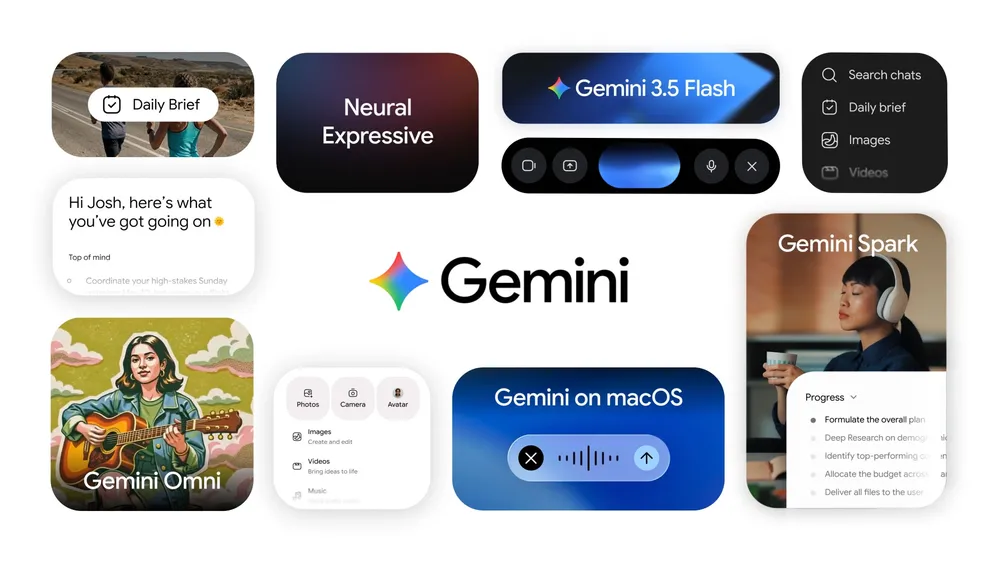 Gemini app for Mac Option + Space and Gemini is right there | Gemini app for Mac | Not specified | |
 Therapist AI Built by Therapists, For Therapists | Therapist AI | Freemium model with free tier available; paid tiers not publicly documented | |
Q Qwen-Image-2512 SOTA open-source T2I model with even greater realism | Qwen-Image-2512 | Not specified | |
 Webflow AI site builder Turn a prompt into a production-ready site with Webflow | Webflow AI site builder | Freemium with tiered paid plans. Free Starter plan; Basic ($15/mo), Premium ($25/mo) for site plans; Team ($2500/mo) and Enterprise (custom) for platform plans. Annual billing available with up to 40% savings. | |
 Cube AI agent that builds your data model and answers questions | Cube | Freemium with per-developer monthly subscription tiers. Free plan available. Starter at $40/developer/month, Premium at $80/developer/month. Enterprise custom pricing. Additional infrastructure costs for compute, caching, and API instances. | |
 Ordo Finally a saving app that works | Ordo | Free app with no premium tier mentioned | |
 Stracti Build AI game bots with no code required | Stracti | Tiered lifetime plans with optional monthly add-ons (proxies, virtual PCs). Limited lifetime sale pricing displayed; regular pricing not specified. | |
Influcio AI marketing Agent for result-driven influencer campaign | Influcio | Not specified | |
 Normain Trusted insights from complex documents | Normain | Pay-as-you-go credits with tiered monthly plans. Free tier (50 insights/mo), Starter (€129/mo, 200 insights/mo), Pro (€499/mo, 1.5k insights/mo), and Enterprise (custom). 10% discount available when paying annually. | |
 Pixero AI OpenClaw for AI Ads | Pixero AI | Not specified | |
 Assemble One /go command for AI work that remembers — zero runtime | Assemble | Free, MIT licensed, no premium tier, no feature gating, no usage limits | |
 Nutgrafe Every article summarized in one short paragraph. | Nutgrafe | Free service with no subscriptions or trials | |
PA PenguinBot AI Your AI-Employee Working 24/7 | PenguinBot AI | Not specified | |
 Google's Nest Doorbell Smart, battery-powered video doorbell to detect what matters Home • Privacy • Artificial Intelligence 6 114 ElevenAgents by ElevenLabs Scale conversations without scaling your team Artificial Intelligence • Audio | Google's Nest Doorbell | Not specified | |
 Silicon Friendly How Silicon Friendly is your website? (from L0 to L5) | Silicon Friendly | Not specified | |
Buda Recruit agents to run your company as a synchronous team | Buda | Freemium with tiered paid plans (Plus, Pro, Enterprise) plus à la carte credits and white-glove service | |
Superset Run an army of Claude Code, Codex, etc. on your machine | Superset | Freemium with team and enterprise tiers. Free for individuals with local workspaces. Pro tier at $15/user/month (billed yearly, $20/month billed monthly) for teams with remote workspaces and integrations. Enterprise with custom pricing for advanced security and compliance. | |
 Resume Builder by Foundire LinkedIn to Resume with click Artificial Intelligence • LinkedIn • Career 28 92 Framer Launch websites with enterprise needs at startup speeds. Design Tools • Website Builder • Artificial Intelligence | Resume Builder by Foundire | Freemium with paid tiers: Free plan (50 resume parses/month), Pro ($79/month with 1,000 resume parses/month and 300 credits), Enterprise (custom pricing) | |
 Gemini 3.1 Pro A smarter model for your most complex tasks | Gemini 3.1 Pro | Not specified | |
 CodeYam CLI & Memory Comprehensive memory management for Claude Code | CodeYam CLI & Memory | Free CLI tool with no registration required. Runs locally. | |
 MyNextBrowser Make any browser agentic and automate workflows | MyNextBrowser | Freemium with paid Pro tier. Free tier includes core browsing features with monthly allowance. Founder Pass offers lifetime discount at $4/month (billed annually at $48) or $5/month (billed monthly). Regular Pro plan at $200/month. | |
CP Codex Pets Animated companions for your Codex workflow | Codex Pets | Not specified | |
GameCutAI Turn game footage into viral highlights in seconds Sports • Artificial Intelligence • Video 1 92 Wispr Flow: Dictation That Works Everywhere Stop typing. Start speaking. 4x faster. Productivity • Artificial Intelligence • Audio Tanay Kothari Hey Product Hunt 🎉 I’m Tanay, co-founder & CEO of Wispr Flow, a Mac dictation app that lets you speak naturally, and writes in your style, in every application — with auto-edits, command mode, and over 100 languages. ⭐ The founding story Ever since I watched the first Ironman movie in 2008 at age 10, I've wanted to build Jarvis. It drove me to pull my first all-nighter and start teaching myself how to code. 16 years later, I think we’ve found a way to make a voice experience delightful for all-day use. And there's no one else I'd build this with than my college roommate and closest friend @sahaj_garg2 Our vision is to make voice interfaces both useful (so you trust them) and ubiquitous (so you can use them everywhere). This is how we can move from screen-first technologies to voice-first technologies and build a future where we aren't stuck looking at our phones all day long. ⭐ Using Flow is super simple: 1. Download Flow for Mac 2. Press and hold [Fn] to start speaking in any app 3. Release [Fn] to enter text ⭐ What users love Flow for - 🛠️ Developers using Cursor / Claude / ChatGPT: Speak with AI assistants faster than typing. - ✉️ Professionals breezing through their inbox: Flow accurately captures names and formats your emails and Slack messages. - 🧑🎓 Students chatting with AI and finishing assignments even faster: We have a special student discount. - 📄 Product Managers drafting PRDs and sharing thoughts: Flow turns your rambles into clear ideas. - 👶 Parents with busy lives: Time is precious. Every second you save writing is an extra second you have for family. - 🤖 Tech-lovers who want to use voice with every AI tool ⭐ Here’s all you’ll get with Flow 1.0 — and we’re just getting started. 1. ⚡ Blazing fast dictation: Powered by Flow’s ultra-fast inference engine 2. 🎨 Tone match: You speak differently than you write. Flow learns your writing style across every application 3. 🔧 Auto-edits when you change your mind: “Hey lets meet at 5pm, actually lets do 6pm” → “Hey, lets meet at 6pm” 4. 😎 Command Mode for selected text: Say commands like “Flow, make this crisper and more assertive” without copy-pasting into other tools. 5. 🧩 Native integrations: Select text anywhere and just say: “Ask perplexity, what does this mean?” 6. 😶 Whispering mode: Use Flow around others by quietly whispering to your computer. 7. 🔒 Private by design: Your recordings locally on your computer by default. Only you have access to it. You can allow Flow to use your data to improve our models (disabled by default). Learn more: wispr.ai/data-usage For technical users, most voice dictation tools focus on technical metrics like "word error rate." At Flow, we prioritize what truly matters to users: zero-edit messages. With Flow, you rarely need to return to your keyboard for edits. Our new approach has made Flow the first consumer voice dictation platform that makes people enjoy using voice more than their keyboards. ⭐ A final note Our dream is to create a world where interacting with technology feels as natural as interacting with people. I'd love your help to make this a reality. Try out Flow and share your feedback — we're eager to make it even more magical with your input. PS: A huge shoutout to our thousands of beta users who've showered us with love and feedback over the last few months. We wouldn't be here without you. | GameCutAI | Tiered subscription model with free tier, Creator plan at $99/month, Studio plan at $299/month, and custom Enterprise pricing | |
 Grok Voice API Fast, accurate STT and TTS APIs at the best price | Grok Voice API | Not specified | |
 Gemini Deep Research Agent Web and MCP research agents, now in Gemini API | Gemini Deep Research Agent | Pay-per-use API pricing via Gemini API; available in public preview through paid tiers | |
 Cursor Glass Unified agent workspace with seamless cloud handoff power | Cursor Glass | Freemium with paid tiers: Hobby (free), Individual ($20/mo), Teams ($40/user/mo), Enterprise (custom) | |
 HostedClaws Your own AI employee that runs 24/7 with no set up | HostedClaws | Tiered subscription: Starter ($40/mo) with $10 AI credits, Pro ($100/mo) with $25 AI credits and priority support, Enterprise (custom pricing) | |
 RoomieU The roommate matching app built for college students Messaging • School 5 87 Wispr Flow: Dictation That Works Everywhere Stop typing. Start speaking. 4x faster. Productivity • Artificial Intelligence • Audio Tanay Kothari Hey Product Hunt 🎉 I’m Tanay, co-founder & CEO of Wispr Flow, a Mac dictation app that lets you speak naturally, and writes in your style, in every application — with auto-edits, command mode, and over 100 languages. ⭐ The founding story Ever since I watched the first Ironman movie in 2008 at age 10, I've wanted to build Jarvis. It drove me to pull my first all-nighter and start teaching myself how to code. 16 years later, I think we’ve found a way to make a voice experience delightful for all-day use. And there's no one else I'd build this with than my college roommate and closest friend @sahaj_garg2 Our vision is to make voice interfaces both useful (so you trust them) and ubiquitous (so you can use them everywhere). This is how we can move from screen-first technologies to voice-first technologies and build a future where we aren't stuck looking at our phones all day long. ⭐ Using Flow is super simple: 1. Download Flow for Mac 2. Press and hold [Fn] to start speaking in any app 3. Release [Fn] to enter text ⭐ What users love Flow for - 🛠️ Developers using Cursor / Claude / ChatGPT: Speak with AI assistants faster than typing. - ✉️ Professionals breezing through their inbox: Flow accurately captures names and formats your emails and Slack messages. - 🧑🎓 Students chatting with AI and finishing assignments even faster: We have a special student discount. - 📄 Product Managers drafting PRDs and sharing thoughts: Flow turns your rambles into clear ideas. - 👶 Parents with busy lives: Time is precious. Every second you save writing is an extra second you have for family. - 🤖 Tech-lovers who want to use voice with every AI tool ⭐ Here’s all you’ll get with Flow 1.0 — and we’re just getting started. 1. ⚡ Blazing fast dictation: Powered by Flow’s ultra-fast inference engine 2. 🎨 Tone match: You speak differently than you write. Flow learns your writing style across every application 3. 🔧 Auto-edits when you change your mind: “Hey lets meet at 5pm, actually lets do 6pm” → “Hey, lets meet at 6pm” 4. 😎 Command Mode for selected text: Say commands like “Flow, make this crisper and more assertive” without copy-pasting into other tools. 5. 🧩 Native integrations: Select text anywhere and just say: “Ask perplexity, what does this mean?” 6. 😶 Whispering mode: Use Flow around others by quietly whispering to your computer. 7. 🔒 Private by design: Your recordings locally on your computer by default. Only you have access to it. You can allow Flow to use your data to improve our models (disabled by default). Learn more: wispr.ai/data-usage For technical users, most voice dictation tools focus on technical metrics like "word error rate." At Flow, we prioritize what truly matters to users: zero-edit messages. With Flow, you rarely need to return to your keyboard for edits. Our new approach has made Flow the first consumer voice dictation platform that makes people enjoy using voice more than their keyboards. ⭐ A final note Our dream is to create a world where interacting with technology feels as natural as interacting with people. I'd love your help to make this a reality. Try out Flow and share your feedback — we're eager to make it even more magical with your input. PS: A huge shoutout to our thousands of beta users who've showered us with love and feedback over the last few months. We wouldn't be here without you. | RoomieU | Not specified | |
 MESA Describe your Shopify workflow. MESA builds it. | MESA | Tiered subscription with 4 paid plans: Basic ($12/mo), Flex ($29/mo), Pro ($99/mo), Unlimited ($299/mo). All plans include 7-day free trial, AI-assisted workflow building, and 30-minute free setup session. Additional tasks charged at $0.01 per task; premium task overages at $0.02 per task. | |
 Dune Context-aware Mac keypad to automate workflows + meetings | Dune | Not specified | |
PC Perplexity Computer Everything AI can do, Perplexity Computer does for you. | Perplexity Computer | Not specified | |
 Airbyte Agents The context layer for production-grade AI agent | Airbyte Agents | Freemium with tiered paid plans. Free plan includes 1,000 Agent Operations (AOs) monthly. Individual plan ($29/month) offers 5,000 AOs. Team plan ($299/month, popular) offers 10,000 AOs. Custom plan available for enterprise needs. Overage pricing at $0.004–$0.005 per AO on paid tiers. | |
 Nomie v2 Replace doomscrolling with a self-care interactive world Health & Fitness • Open World Games • Artificial Intelligence 9 119 Mintlify Knowledge infrastructure for AI agents Notes • Text Editors • GitHub Justin Torre We have been using the editor every day and it's an absolute game changer!!! I love this product and I think it's one of the leading editor experiences I have tried. Also, the ability to publish customer facing docs is just amazing. | Nomie v2 | Freemium with optional Pro subscription. Free tier includes daily limits on AI chat (10 messages/day), bloomscroll feed (15 cards/day), and journaling (3 entries/week). Unlimited access to breathing exercises, grounding tools, body scan, worry jar, panic attack guide, and digital fidgets. Pro removes all caps. | |
 Offsite Build teams of humans and agents, watch them work. | Offsite | Free tier available; paid plans not detailed on homepage | |
 BNA AI agent that builds full-stack iOS & Android apps with auth | BNA | Credit-based system. Users receive credits upon signup and consume them per app generation. | |
 Stitch by Google Turn napkin sketches into production-ready UI in seconds. | Stitch by Google | Not specified | |
 PingPrompt Organize prompts, track changes, and iterate faster. | PingPrompt | Freemium with tiered paid plans. Free plan includes 1 workspace, 3 projects, 1,000 requests/month. Pro plan at $29/month includes unlimited projects, 5 seats, 50,000 requests/month. Team plan at $99/month adds SSO, SAML, audit logs, dedicated support. | |
S Symphony An open-source spec for Codex orchestration Open Source • Artificial Intelligence 3 128 Lightfield AI-native CRM that builds itself and does work for you Sales • Artificial Intelligence • CRM | Symphony | Not specified | |
 Magic Blend your content into real-world locations | Magic | Free to use with potential paid upgrades | |
 Superagent from Airtable The multi-agent system that delivers finished work | Superagent from Airtable | Freemium with Pro plans for power users and teams | |
 PeonPing Stop babysitting Claude Code (or Codex, Cursor, + more) Productivity • User Experience • Developer Tools 6 119 Tines Build agents & automations integrated across your workspace Developer Tools • Artificial Intelligence • Security Anupam Singh This feels like automation built for real teams, not just perfect demos and it’s great to see it opened up to smaller teams too. | PeonPing | Free and open source |