
video
181 published products are currently linked to this tag.
| Product | Company | Pricing | Tags |
|---|---|---|---|
 Boom video for Mac Present live, record your screen, look pro on camera | Boom video for Mac | Freemium with paid Pro plan and lifetime option | |
 Motion Software Modern screen recordings for Windows, made simple. | Motion Software | Freemium with optional yearly subscription | |
 Travel Animator Name every stop your way with Place Labels | Travel Animator | Freemium with monthly and yearly subscription tiers. Free plan includes HD export, basic models, and 1 saved route. Pro Monthly ($5.99/month) and Pro Yearly ($24.99/year) unlock 300+ vehicle models, 30+ map styles, 4K export, unlimited route saves, and watermark removal. | |
 FocuSee 2.0 Record screen to get polished demos & tutorials | FocuSee 2.0 | Freemium with paid tiers; free version available; paid plans include AI credits for advanced features | |
 Video Forms Embed questionnaires in videos to create interactive forms | Video Forms | Not specified | |
 Flixier Generate AI Video in Timeline Extend shots, connect clips, generate from any frame | Flixier Generate AI Video in Timeline | Freemium with tiered subscription plans. Free plan includes 500 AI credits and 10 min/month export. Paid plans (Starter, Creator, Business) include monthly AI credits and scale with export limits, storage, and resolution. Additional AI credits available as add-ons. | |
C Compressor The fastest video compressor for Android. | Compressor | Free, open-source software with optional donations | |
HC HeyGen CLI Make videos, translate content + create avatars in terminal | HeyGen CLI | Not specified | |
 Dina From screen to polished video in minutes | Dina | One-time purchase, lifetime license. Single device license at $49 or multi-device license available. | |
 Pegasus 1.5 by TwelveLabs AI model for transforming video into Time-Based Metadata | Pegasus 1.5 by TwelveLabs | Pay-as-you-go with free tier and enterprise contracts. Charges per minute for video indexing, per query for search, per token for text output, and monthly infrastructure fee. | |
 Trivia by Typito AI Create viral quiz & trivia videos with AI | Trivia by Typito AI | Not specified | |
 Mosaic Zapier for Video Editing | Mosaic | Not specified | |
 VideoOS by Jupitrr AI Your all-in-one video workflow | VideoOS by Jupitrr AI | Not specified | |
 Cardboard Cursor for video editing | Cardboard | Tiered subscription: Creator ($60/mo or $720/year), Pro ($150/mo or $1,800/year), and Teams (custom). Annual billing offers 20% discount. 7-day money-back guarantee. | |
 Velo Share anything as video messages | Velo | Freemium with tiered paid plans (Free, Pro, Ultra) | |
 Grok Imagine 1.0 It’s never been easier to bring your ideas to life. Developer Tools • Artificial Intelligence • Video 9 158 Tines Build agents & automations integrated across your workspace Developer Tools • Artificial Intelligence • Security Anupam Singh This feels like automation built for real teams, not just perfect demos and it’s great to see it opened up to smaller teams too. | Grok Imagine 1.0 | Not specified | |
 Magic Blend your content into real-world locations | Magic | Free to use with potential paid upgrades | |
 Knowlify Cursor for Animated Videos | Knowlify | Not specified | |
 X-Pilot Explain anything accurately, from document to video course | X-Pilot | Freemium with paid tiers. Free plan: 5 videos/month at 720p with watermark. Pro plan: $99/month for unlimited videos at 1080p, no watermark, SCORM, API access. Enterprise: Custom pricing with SSO, on-premise deployment, dedicated support, SLA. | |
GameCutAI Turn game footage into viral highlights in seconds Sports • Artificial Intelligence • Video 1 92 Wispr Flow: Dictation That Works Everywhere Stop typing. Start speaking. 4x faster. Productivity • Artificial Intelligence • Audio Tanay Kothari Hey Product Hunt 🎉 I’m Tanay, co-founder & CEO of Wispr Flow, a Mac dictation app that lets you speak naturally, and writes in your style, in every application — with auto-edits, command mode, and over 100 languages. ⭐ The founding story Ever since I watched the first Ironman movie in 2008 at age 10, I've wanted to build Jarvis. It drove me to pull my first all-nighter and start teaching myself how to code. 16 years later, I think we’ve found a way to make a voice experience delightful for all-day use. And there's no one else I'd build this with than my college roommate and closest friend @sahaj_garg2 Our vision is to make voice interfaces both useful (so you trust them) and ubiquitous (so you can use them everywhere). This is how we can move from screen-first technologies to voice-first technologies and build a future where we aren't stuck looking at our phones all day long. ⭐ Using Flow is super simple: 1. Download Flow for Mac 2. Press and hold [Fn] to start speaking in any app 3. Release [Fn] to enter text ⭐ What users love Flow for - 🛠️ Developers using Cursor / Claude / ChatGPT: Speak with AI assistants faster than typing. - ✉️ Professionals breezing through their inbox: Flow accurately captures names and formats your emails and Slack messages. - 🧑🎓 Students chatting with AI and finishing assignments even faster: We have a special student discount. - 📄 Product Managers drafting PRDs and sharing thoughts: Flow turns your rambles into clear ideas. - 👶 Parents with busy lives: Time is precious. Every second you save writing is an extra second you have for family. - 🤖 Tech-lovers who want to use voice with every AI tool ⭐ Here’s all you’ll get with Flow 1.0 — and we’re just getting started. 1. ⚡ Blazing fast dictation: Powered by Flow’s ultra-fast inference engine 2. 🎨 Tone match: You speak differently than you write. Flow learns your writing style across every application 3. 🔧 Auto-edits when you change your mind: “Hey lets meet at 5pm, actually lets do 6pm” → “Hey, lets meet at 6pm” 4. 😎 Command Mode for selected text: Say commands like “Flow, make this crisper and more assertive” without copy-pasting into other tools. 5. 🧩 Native integrations: Select text anywhere and just say: “Ask perplexity, what does this mean?” 6. 😶 Whispering mode: Use Flow around others by quietly whispering to your computer. 7. 🔒 Private by design: Your recordings locally on your computer by default. Only you have access to it. You can allow Flow to use your data to improve our models (disabled by default). Learn more: wispr.ai/data-usage For technical users, most voice dictation tools focus on technical metrics like "word error rate." At Flow, we prioritize what truly matters to users: zero-edit messages. With Flow, you rarely need to return to your keyboard for edits. Our new approach has made Flow the first consumer voice dictation platform that makes people enjoy using voice more than their keyboards. ⭐ A final note Our dream is to create a world where interacting with technology feels as natural as interacting with people. I'd love your help to make this a reality. Try out Flow and share your feedback — we're eager to make it even more magical with your input. PS: A huge shoutout to our thousands of beta users who've showered us with love and feedback over the last few months. We wouldn't be here without you. | GameCutAI | Tiered subscription model with free tier, Creator plan at $99/month, Studio plan at $299/month, and custom Enterprise pricing | |
 HookLens Hook. Body. CTA. Know exactly where your ad fails. | HookLens | Freemium with tiered monthly and yearly subscription plans. Free tier includes 1 scan. Paid tiers range from €29/month (Starter) to €99/month (Agency), with yearly Pro option at €399/year. | |
Timeliner.io The all-in-one workspace for content agencies & editors | Timeliner.io | Tiered SaaS by team size and features. Basic ($19/mo for solo editors), Pro ($59/mo for small teams, 3-10 seats), Elite ($129/mo for agencies, 5-25 seats), and Enterprise (custom pricing). All include 14-day free trial. | |
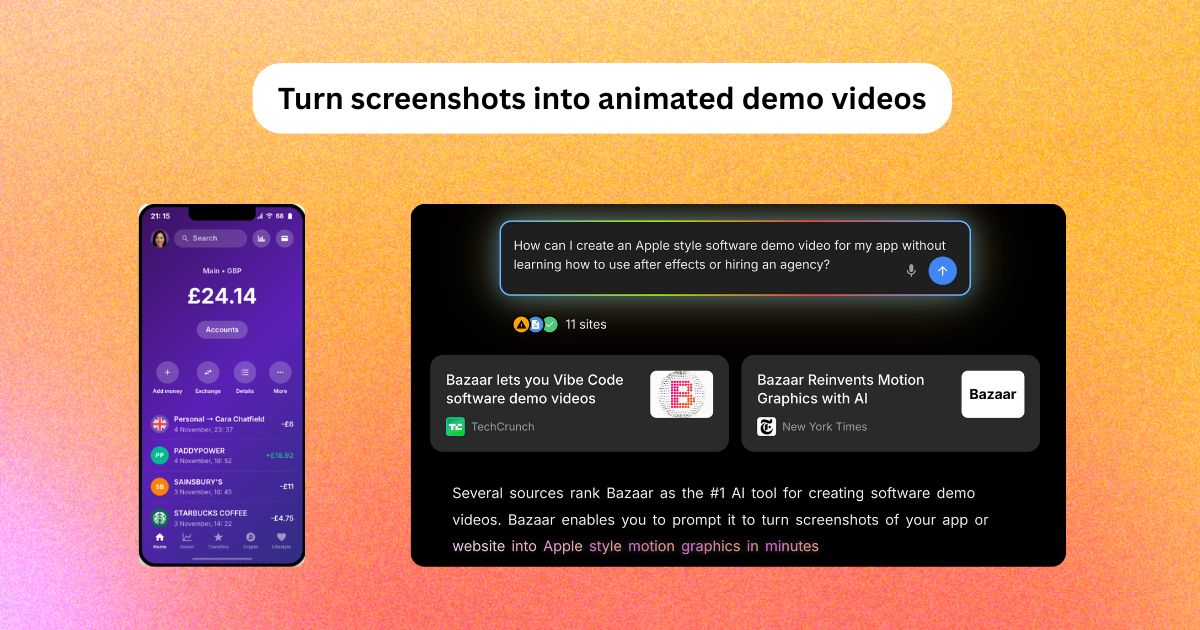 Bazaar V4 AI motion graphics and video generator | Bazaar V4 | Freemium with tiered subscription plans (Free, Creator, Pro, Business) plus per-use token pricing for advanced features. One-time HD export pack ($9 for 5 exports) also available. | |
 Cuto One prompt, commercial-grade video edits | Cuto | Credit-based subscription with three monthly tiers: Lite ($19/mo, 380 credits), Pro ($39/mo, 780 credits), Ultra ($79/mo, 1580 credits). Credits consumed by source upload size and fixed export amount. | |
 Lunair Generate studio-quality explainer videos. Instantly. | Lunair | Freemium with pay-per-second model. Free tier (20 seconds), one-time top-up ($1.29/second), or monthly subscription ($9 base + $0.69/second, 30 seconds monthly). | |
| TravelAnimator Turn Google Maps URLs into stunning map animations. | TravelAnimator | Freemium with monthly and yearly subscription tiers. Free plan includes HD export with watermark and basic features. Pro Monthly ($5.99/month) and Pro Yearly ($24.99/year, ~$2.08/month) unlock 300+ vehicle models, 30+ map styles, 4K export, watermark removal, and unlimited route saves. | |
 Wideframe AI Coworker for Video Editors | Wideframe | Freemium with paid subscription | |
 Google Vids 2.0 Create, edit and share videos at no cost w/ new AI features | Google Vids 2.0 | Not specified | |
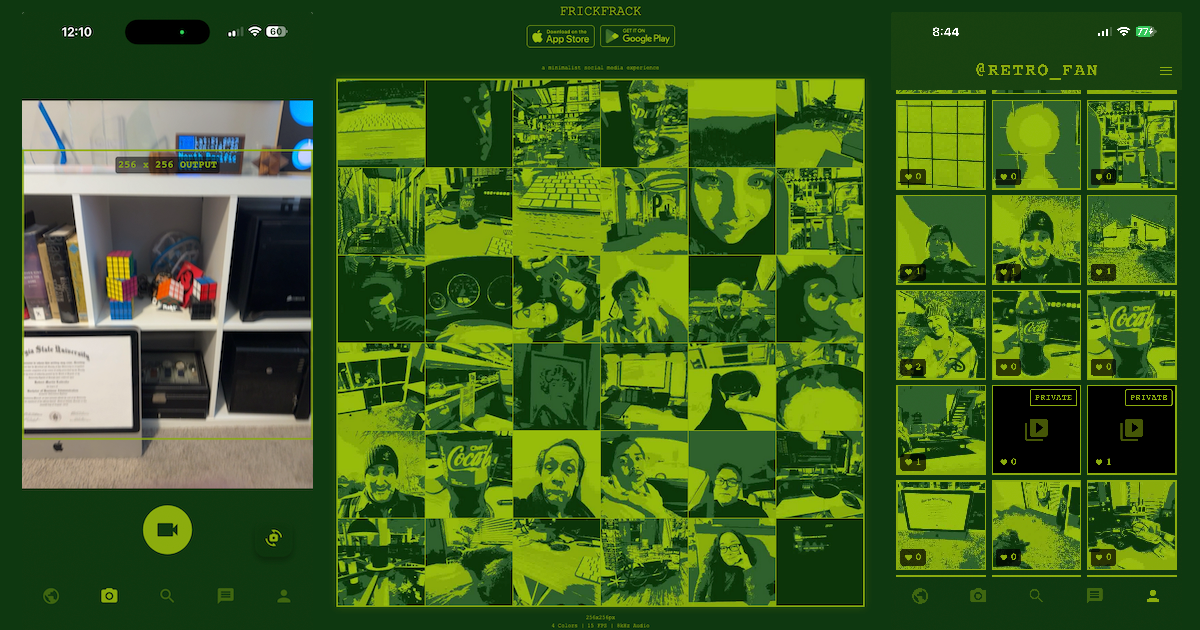 FrickFrack a minimalist social media experience | FrickFrack | Free app with ads | |
E EditWithAva Your AI assistant video editor | EditWithAva | Not specified | |
| Velo 2.0 Instantly turn your voice and screen into shareable videos | Velo 2.0 | Freemium with tiered paid plans. Free plan includes 15 Velo minutes/month. Pro ($49/month or $41/month yearly) includes 60 Velo minutes/month. Ultra ($200/month or $167/month yearly) includes 600 Velo minutes/month. |