
Back to products
Piny

Piny

Visual editor for Astro, React, Next.js & Tailwind

Overview

What it is

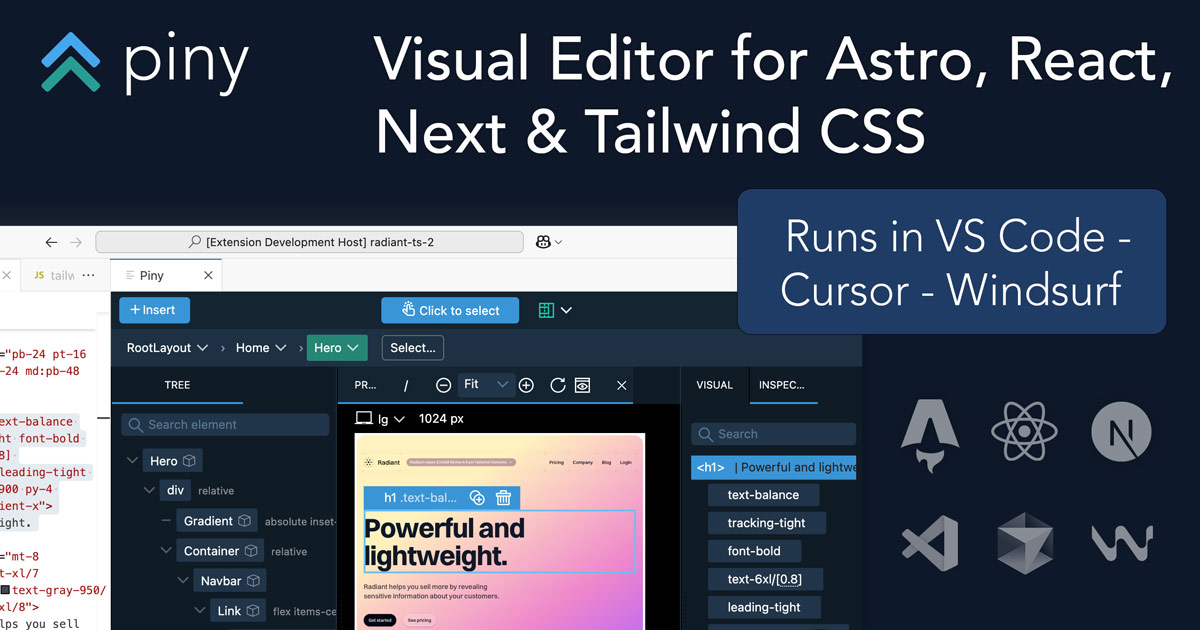
Piny is a visual editor that runs directly in Visual Studio Code, Cursor and Windsurf. It supports Tailwind CSS, Astro, React and Next.js. All edits happen directly in the code, so there are no abstractions, no cloud services and no lock-in.

Intent

I need it when

Customize visual editor controls to match project's Tailwind theme

Pro feature imports custom Tailwind configuration including colors, fonts, and spacing. Visual controls adapt to project-specific design tokens, ensuring consistency and reducing manual configuration.

Navigate and explore component structure across an entire project

Pro feature enables project-wide component navigation from a single interface. Associate routes with components to always preview relevant context. Drill down visually from preview to component code.

Style React/Next.js/Astro components visually without leaving the IDE

Piny provides visual Tailwind controls directly in VS Code. Click any element in code to style it with intuitive controls; changes reflect immediately in code and trigger hot reload. No special libraries or setup required.

Build UI layouts quickly with AI assistance and drag-and-drop

AI-powered drag & drop lets developers build UI visually using their own API provider key. Works alongside favorite AI agents like Lovable. Free feature available to all users.

Manage and edit complex Tailwind class hierarchies efficiently

Tailwind Class Inspector organizes classes in an editable tree view with states. Edit Tailwind classes anywhere—in strings, variables, and non-React code. Available free to all users.

Drop

Not a fit when

  • User needs to edit static HTML or WordPress sites—Piny is for Astro, React, and Next.js projects only; Pinegrow Web Editor is recommended instead
  • User works with Vue, Svelte, or other frameworks not yet supported by Piny
  • User requires offline-only editing without any cloud or extension dependencies
  • User needs visual editing for non-Tailwind CSS projects or custom CSS frameworks
  • User works in IDEs other than VS Code, Cursor, or Windsurf
Commercials

Pricing

Freemium with optional Pro subscription. Free tier includes visual Tailwind controls, class inspector, component navigation, and AI-powered drag & drop. Pro adds visual select, multi-element editing, project-wide navigation, and custom theme import. View pricing